
Dashboard
6 Nov 2025
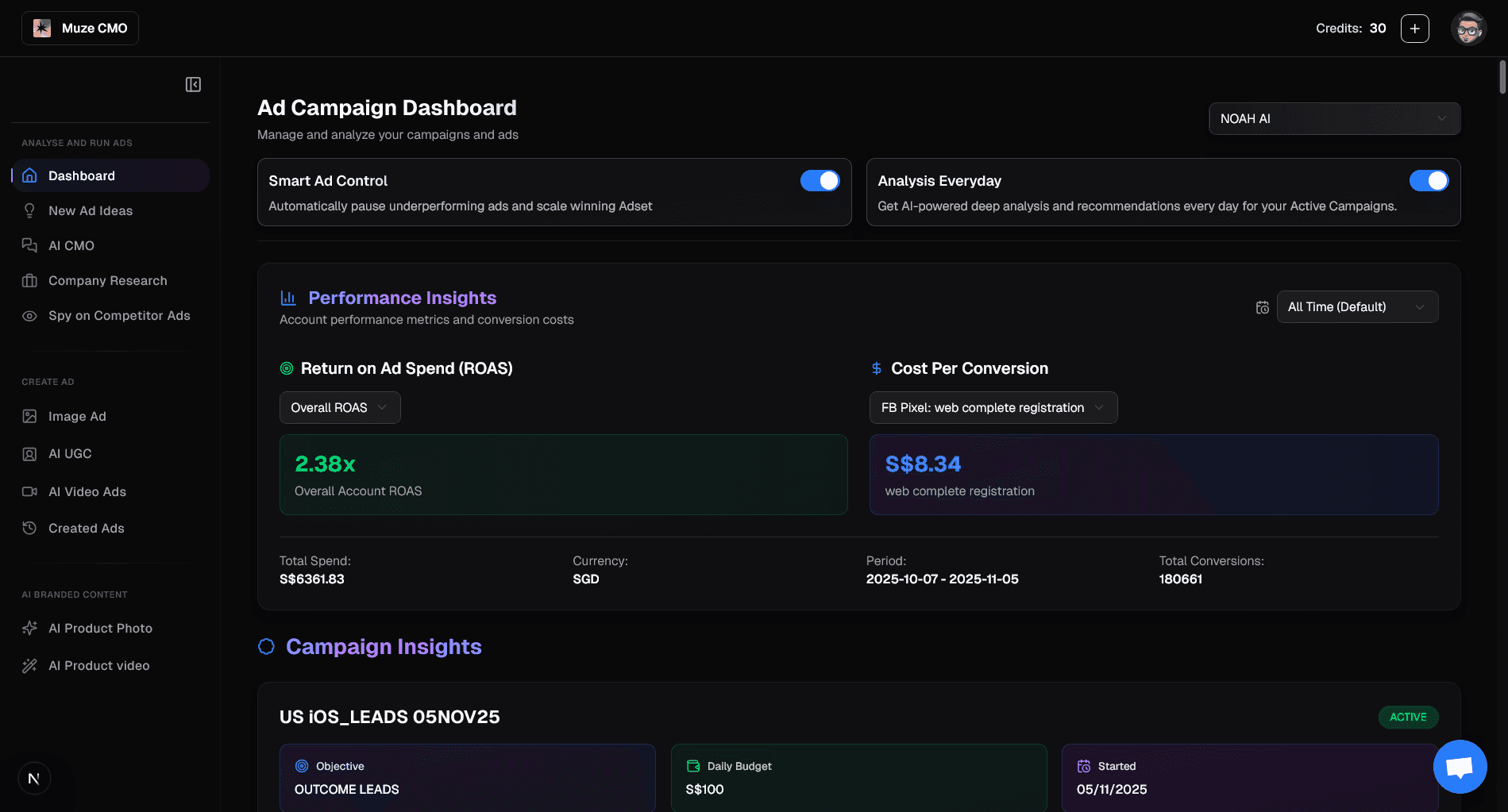
What You Can Do in Your Dashboard
1. Connect Your Ad Account
Select or connect your Facebook ad account to unlock campaign analytics.
2. View All Your Campaigns
Instantly see all your active and past campaigns.
Select which campaigns you want to analyze.
3. Smart Ad Controls
Toggle "Smart Ad Control" to let AI automatically pause underperforming ads and scale winners.
Toggle "Analysis Everyday" to get daily AI-powered campaign insights.
4. Deep-Dive Ad & Campaign Analysis
Explore detailed performance metrics for each campaign and ad:
Spend, CTR, ROAS, Conversions, and more.
See creative previews (image/video) for each ad.
View breakdowns by audience, placement, and demographics.
5. AI Action Recommendations
Get actionable suggestions for improving your ads and campaigns.
See which ads are working, which are not, and why.
Instantly pause or resume ads with one click.
6. Daily Report & Performance Drivers
Access a daily summary of key insights and recommended actions.
Review top performing products, hooks, and audiences.
Check retargeting eligibility and creative fatigue analysis.
7. Full Ad Analysis Modal
Open a full analysis for any ad to see:
Key findings, creative recommendations, risk flags, and audience fit.
All AI-generated insights in one place.
8. Benchmark & Trends
Compare your results against industry benchmarks.
Track trends and creative performance over time.
Start by connecting your account and selecting campaigns to unlock daily AI-powered marketing insights and automated ad actions!