
AI Video Ads
12 Jun 2024
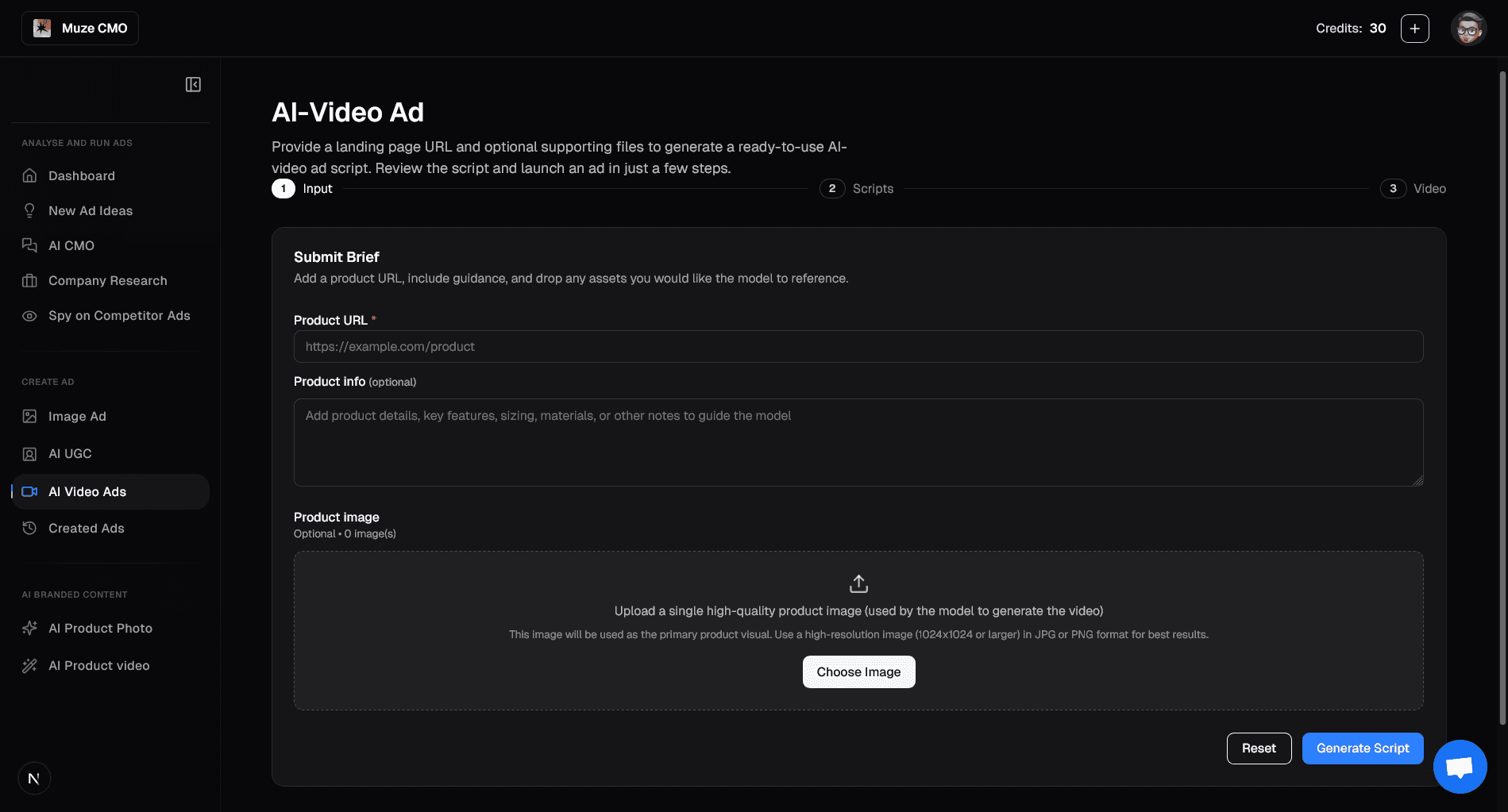
What You Can Do on the "AI Video Ads" Page
1. Provide Your Product Details
Enter Product URL: Automatically scrape product information and images from your landing page.
Add Product Description: Optionally provide a detailed description to guide the AI.
Upload Product Image: Upload a high-quality image to be used as the primary visual in your video ad.
2. Select Your Key Product Image
If you provided a URL, choose the best image from the scraped options to feature in your video.
3. Review & Choose Your Video Script
AI-Generated Concepts: Get multiple creative script concepts tailored to your product.
Custom Script: Write or edit your own script if you prefer.
Regenerate Scripts: Request new script variations if you need more options.
4. Generate Your AI-Powered Video Ad
With your chosen script and image, AI will create a ready-to-use UGC-style video ad.
See a live progress indicator as your video is being created.
5. View, Download & Launch Your Video
Watch the AI-generated video ad directly on the page.
Download the video file for use across all your marketing channels.
Launch Ad: Directly launch your new video ad to Meta, with options to customize campaign settings.
Start by providing your product details and let AI create engaging video ads for you in minutes!