
AI UGC
12 Jun 2024
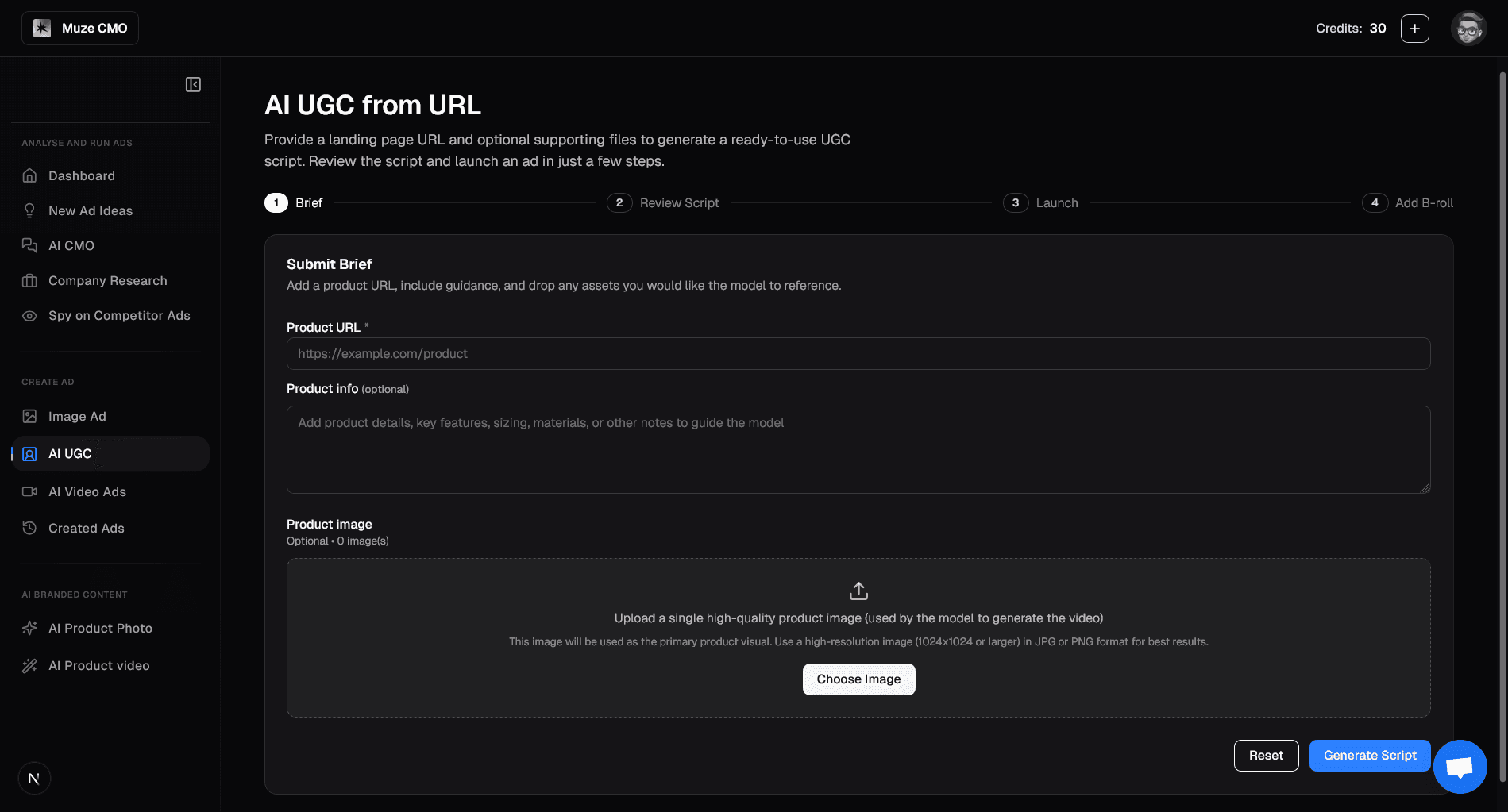
What You Can Do on the "AI UGC from URL" Page
1. Submit Your Product Brief
Provide Product URL: Enter your product's landing page URL.
Add Product Info: Include optional details, features, or notes to guide the AI.
Upload Product Image: Upload a high-quality product image for the AI to use in video generation.
2. Select Your Product Image
If you provided a URL, choose the best image from those scraped from your page.
This image will be the primary visual for your video ad.
3. Review & Choose Your Script
AI-Generated Concepts: Get multiple creative script concepts tailored to your product.
Custom Script: Write or edit your own script if you prefer.
Regenerate Scripts: Request new script variations if needed.
4. Generate Your Video Ad
With your chosen script and image, AI will create a ready-to-use UGC-style video ad.
This process may take a few minutes.
5. View & Download Your Video
Watch the AI-generated video ad directly on the page.
Download the video file for use across platforms.
6. Enhance with B-roll (Optional)
Upload additional video, image, or audio files to be incorporated as B-roll.
AI will generate a new, richer video ad with your added media.
7. Launch Your Ad Campaign
Directly launch your generated video ad to Meta.
Customize campaign objective, audience, budget, and targeting before going live.
Start by providing your product URL and let AI create engaging video ads for you in minutes!