AI Image
12 Jun 2024
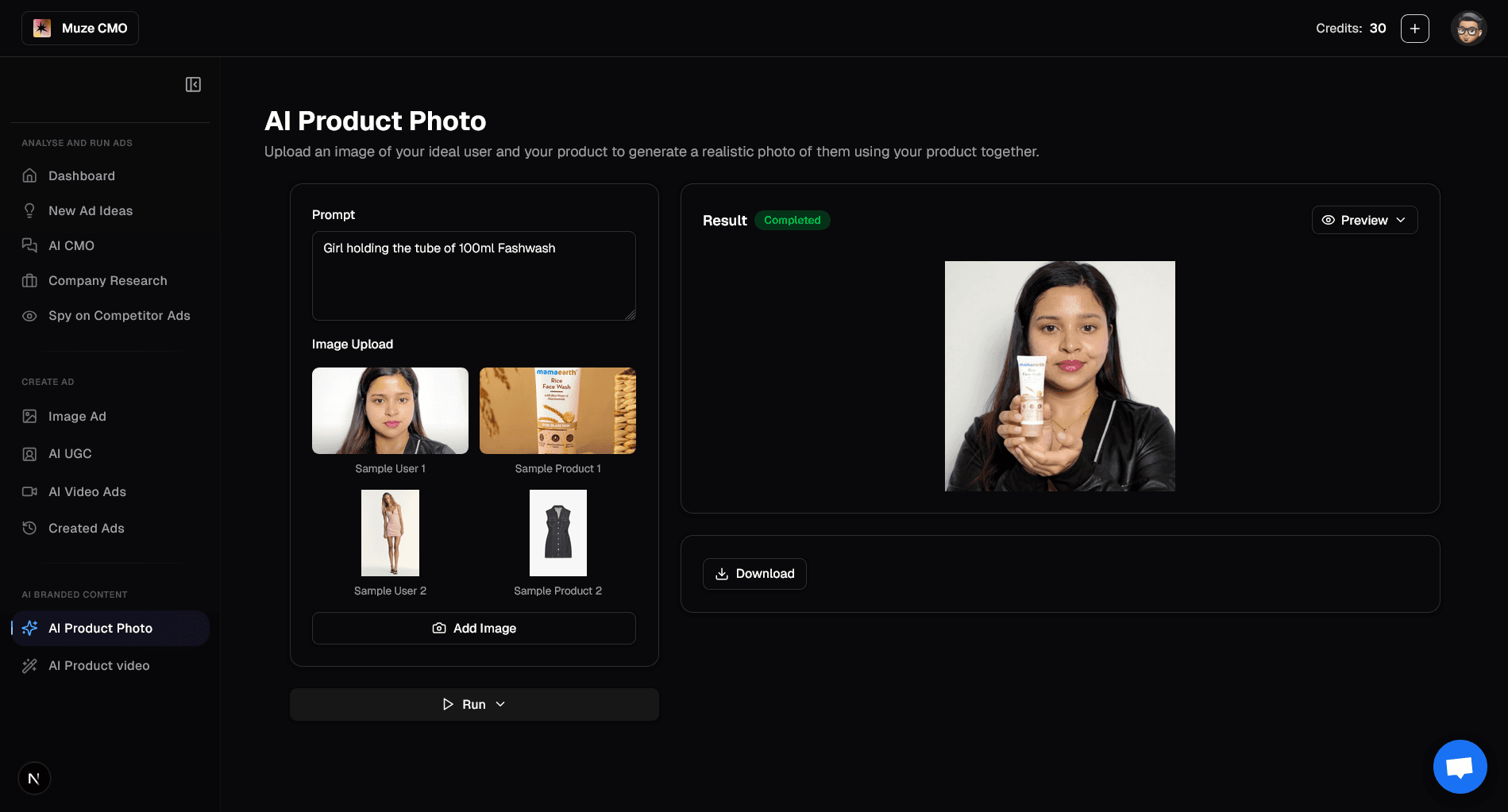
What You Can Do on the "AI Product Photo" Page
1. Generate Realistic Product Photos
Combine an image of your ideal user with your product to create a new, realistic photo.
2. Provide a Text Prompt
Describe the scene you want to create (e.g., "Girl holding the tube of 100ml Fashwash").
3. Upload Your Images
Upload up to two images: one of a person and one of your product.
Use provided sample images to quickly get started.
4. AI-Powered Image Generation
Click "Run" to let AI blend your images and prompt into a new, high-quality product photo.
See a live status as your image is being generated.
5. View & Download Your Result
Instantly see the generated image in the result panel.
Download your new product photo for use in your marketing campaigns.
Start by uploading your images and a prompt to create stunning AI product photos in seconds!